
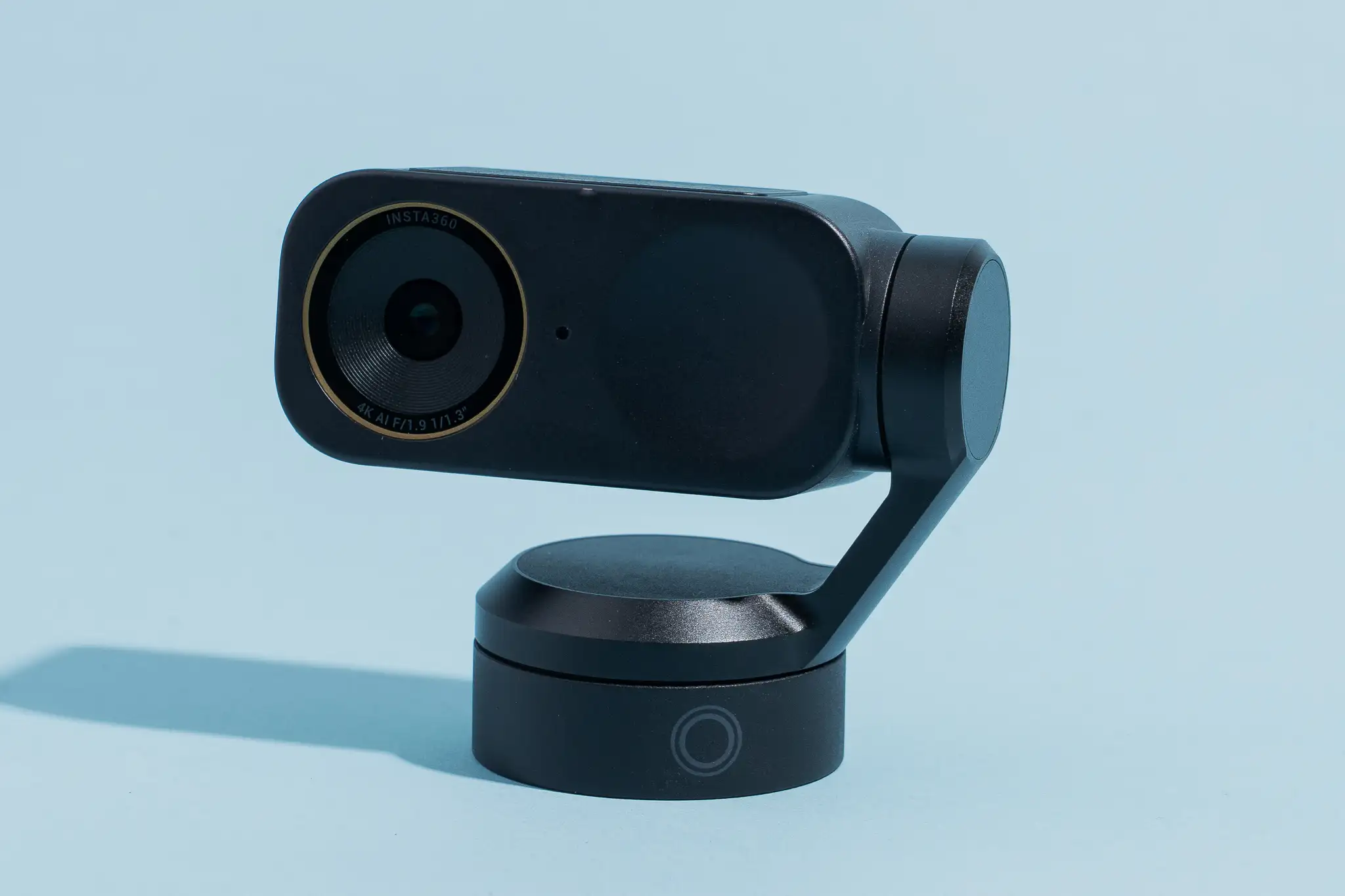
Quick Answer
Best Webcams Under 100 provide excellent video quality, clear microphones, autofocus, and reliable performance without a premium price. The best options in 2026 include the Logitech C920S HD Pro, Anker PowerConf C200, Razer Kiyo X, Logitech Brio 100, and OBSBOT Meet SE. These webcams are perfect for Zoom meetings, online classes, Twitch streaming, YouTube videos, gaming, and remote work.
If you’re looking for the best overall webcam under $100, the Logitech C920S HD Pro remains one of the most reliable choices thanks to its outstanding image quality, dual microphones, and proven performance.
Why Buy a Webcam Under 100?
Finding the Best Webcams Under 100 has become much easier because modern webcams offer premium features at affordable prices. A few years ago, high-quality webcams were expensive, but today’s budget models include Full HD video, autofocus, automatic light correction, and excellent microphones.
Whether you’re working from home, attending online classes, creating YouTube content, or streaming games on Twitch, you don’t need to spend hundreds of dollars to look professional.
A webcam under 100 is ideal for:
- Zoom meetings
- Microsoft Teams
- Google Meet
- Online teaching
- Twitch streaming
- YouTube videos
- Discord calls
- Remote work
- Online interviews
- Video podcasts
Best Webcams Under 100 Comparison Table
| Webcam | Resolution | Best For | Price Range |
|---|---|---|---|
| Logitech C920S HD Pro | 1080p | Overall Performance | Under 100 |
| Anker PowerConf C200 | 2K | Office & Meetings | Under 100 |
| Razer Kiyo X | 1080p | Streaming | Under 100 |
| Logitech Brio 100 | 1080p | Budget Users | Under 100 |
| OBSBOT Meet SE | 1080p AI | AI Features | Under 100 |
Logitech C920S HD Pro – Best Overall Webcam Under 100
The Logitech C920S HD Pro has remained one of the world’s most recommended webcams for years. Even in 2026, it continues to deliver outstanding value for anyone looking for reliable video quality at an affordable price.
Specifications
- Full HD 1080p Resolution
- 30 FPS Video
- Dual Stereo Microphones
- Autofocus
- Automatic Light Correction
- Privacy Shutter
- USB Plug-and-Play
Pros
- Excellent image quality
- Sharp autofocus
- Great color accuracy
- Clear microphones
- Reliable software support
- Works with Windows and macOS
Cons
- No 4K recording
- Fixed viewing angle
Why Buy It?
If you need one webcam that performs well for almost everything, this is one of the safest choices. It works perfectly for Zoom meetings, YouTube videos, online classes, and live streaming.
Anker PowerConf C200 – Best Webcam for Remote Work
Te Anker PowerConf C200 is designed for professionals who spend long hours in online meetings. It offers higher-than-average image quality thanks to its 2K sensor while still remaining affordable.
Specifications
- 2K Resolution
- AI Noise Reduction
- Adjustable Field of View
- USB-C Connection
- Built-in Privacy Cover
Pros
- Very sharp image
- Excellent microphone quality
- Easy software controls
- Great low-light performance
- Professional appearance
Cons
- Slightly larger than standard webcams
Best For
- Business meetings
- Online teaching
- Virtual interviews
- Remote work
- Google Meet
- Microsoft Teams
The PowerConf C200 is an excellent choice if your daily work depends on clear video conferencing.
Razer Kiyo X – Best Webcam for Streaming
The Razer Kiyo X is built specifically for gamers and content creators who want professional-looking streams without spending a fortune.
Specifications
- Full HD 1080p
- 30FPS / 60FPS Support
- Advanced Image Settings
- USB Connectivity
- Lightweight Design
Pros
- Excellent streaming quality
- Smooth frame rates
- Natural colors
- Easy installation
- OBS Studio support
Cons
- Average microphone quality
Best For
- Twitch
- YouTube Live
- Facebook Gaming
- Discord
- OBS Studio
If you’re starting your streaming journey, the Razer Kiyo X offers one of the best price-to-performance ratios under 100.
Best Budget 3D Printers (2026)
What Makes a Great Budget Webcam?
Not all webcams are created equal. Even if two models advertise 1080p resolution, image quality can vary depending on the lens, sensor, autofocus speed, color processing, and low-light performance.
When choosing the Best Webcams Under 100, pay attention to:
- Video resolution
- Frame rate
- Autofocus performance
- Built-in microphone quality
- Low-light performance
- Compatibility
- Software support
A well-balanced webcam can significantly improve your online presence during meetings, live streams, and video recordings.
Logitech Brio 100 – Best Budget Webcam Under 100
The Logitech Brio 100 is one of the best entry-level webcams for students, professionals, and anyone upgrading from a built-in laptop camera. It offers reliable Full HD video, automatic light balancing, and easy plug-and-play setup at an affordable price.
Specifications
- Full HD 1080p Resolution
- Auto Light Balance
- Built-in Microphone
- USB Plug-and-Play
- Windows & macOS Compatible
Pros
- Affordable price
- Sharp 1080p video
- Easy to install
- Compact and lightweight
- Trusted Logitech quality
Cons
- Basic microphone
- No advanced software features
Best For
- Students
- Zoom meetings
- Google Meet
- Online classes
- Everyday video calls
If you’re looking for a simple and dependable webcam under $100, the Logitech Brio 100 is an excellent value.
OBSBOT Meet SE – Best AI Webcam Under 100
The OBSBOT Meet SE stands out with AI-powered features rarely found in budget webcams. It automatically keeps you centered in the frame, making it ideal for presenters, educators, and content creators.
Specifications
- Full HD 1080p
- AI Auto Framing
- Face Tracking
- HDR Support
- Dual Noise-Reduction Microphones
Pros
- AI-powered tracking
- Excellent image quality
- Great low-light performance
- Modern design
- Perfect for creators
Cons
- AI features may not be necessary for everyone
Best For
- YouTube creators
- Online teachers
- Presentations
- Business meetings
- Live streaming
If you want smart features without spending more than 100, the OBSBOT Meet SE is one of the strongest choices.
Buying Guide: How to Choose the Best Webcam Under 100
Choosing the right webcam depends on how you plan to use it. Here are the most important factors to consider.
Video Resolution
A 1080p Full HD webcam is the ideal choice for most users. It provides clear and professional-looking video for meetings, streaming, and content creation.
Frame Rate
- 30 FPS is suitable for video calls and online classes.
- 60 FPS provides smoother motion for gaming and live streaming.
Autofocus
A webcam with autofocus keeps your face sharp, even when you move. This feature is especially useful for presentations and video recording.
Microphone Quality
Many webcams include built-in microphones, but look for models with noise reduction if you work in busy environments.
Low-Light Performance
Good low-light correction improves video quality when you’re in a room without perfect lighting.
Compatibility
Choose a webcam that works with:
- Zoom
- Microsoft Teams
- Google Meet
- Skype
- Discord
- OBS Studio
- Windows
- macOS
Which Webcam Is Best for You?
Best Overall
Logitech C920S HD Pro
Best for Remote Work
Anker PowerConf C200
Best for Streaming
Razer Kiyo X
Best Budget Option
Logitech Brio 100
Best AI Features
OBSBOT Meet SE
Common Mistakes to Avoid
Many buyers choose a webcam based only on price. Instead, avoid these common mistakes:
- Buying a webcam with only 720p resolution
- Ignoring microphone quality
- Choosing a webcam without autofocus
- Not checking software compatibility
- Overlooking low-light performance
Spending a little more within the under 100 range can significantly improve your video quality.
Frequently Asked Questions
What is the best webcam under 100
The Logitech C920S HD Pro is one of the best webcams under $100 because it combines excellent image quality, reliable autofocus, and broad compatibility.
Is a 1080p webcam good enough?
Yes. A 1080p webcam is more than enough for Zoom meetings, online classes, streaming, remote work, and YouTube videos.
Which webcam is best for Zoom?
The Logitech C920S HD Pro and Anker PowerConf C200 are excellent choices for Zoom because they provide clear video and high-quality microphones.
Which webcam is best for streaming?
The Razer Kiyo X is one of the best streaming webcams under 100 thanks to its smooth video and accurate color reproduction.
Are webcams under 100 worth buying?
Absolutely. Modern webcams under 100 offer impressive image quality, built-in microphones, autofocus, and compatibility with all major video conferencing platforms.
Final Verdict
The Best Webcams Under 100 prove that you don’t need expensive equipment to achieve professional-looking video quality. Whether you’re attending online meetings, teaching virtual classes, streaming games, or creating content, today’s budget webcams deliver outstanding performance for their price.