
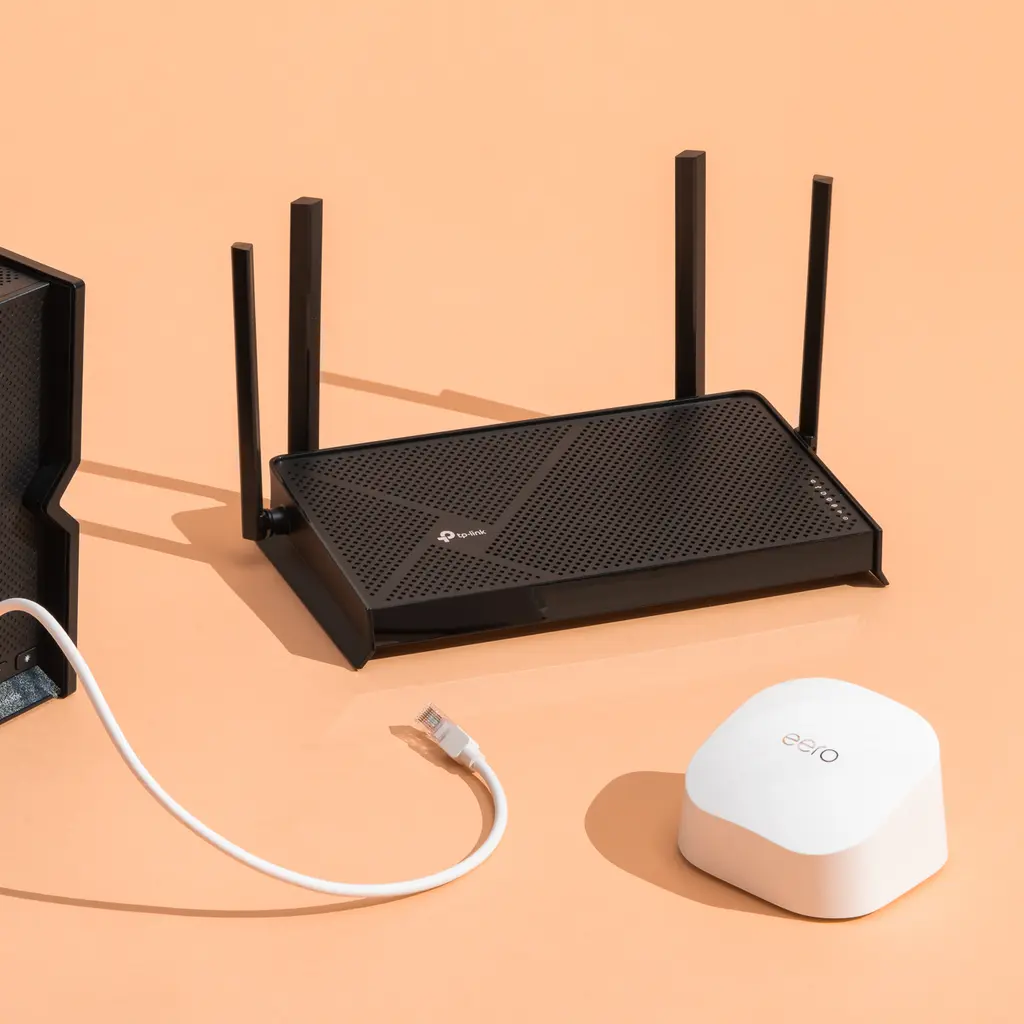
Wireless Router Recommendations (2026) A reliable wireless router is the foundation of a fast and stable internet connection. Whether you’re working from home, attending online classes, streaming 4K videos, gaming, or managing smart home devices, the right router can significantly improve your online experience.
Today’s routers offer advanced features such as Wi-Fi 6, Wi-Fi 6E, and Wi-Fi 7, providing faster speeds, lower latency, and better support for multiple connected devices. However, with so many models available, choosing the best router can be challenging.
This guide highlights the best wireless router recommendations for 2026, helping you find the perfect option based on your budget, home size, and internet needs.
Quick Recommendations
If you’re looking for a quick answer, here are some of the top wireless routers:
- Best Overall: ASUS RT-BE88U
- Best Budget: TP-Link Archer AX23
- Best Value: TP-Link Archer AX55
- Best for Gaming: ASUS ROG Rapture GT-BE98
- Best Mesh System: TP-Link Deco BE65
- Best for Large Homes: ASUS ZenWiFi BT8
- Best for Streaming: Netgear Nighthawk RS300
Why You Should Upgrade Your Router
Many people pay for high-speed internet but continue using an outdated router. Even the fastest broadband connection cannot perform at its best if your router is old.
Upgrading to a modern router offers several benefits:
- Faster wireless speeds
- Better coverage throughout your home
- Improved security with WPA3 encryption
- Reduced lag for gaming
- Smoother video calls and streaming
- Better performance for multiple connected devices
- Enhanced support for smart home technology
If your router is more than four or five years old, upgrading is a smart investment.
Best Webcams for Zoom (2026)
Best Wireless Router Recommendations
1. ASUS RT-BE88U – Best Overall
The ASUS RT-BE88U is an excellent choice for users who want premium performance. It supports the latest Wi-Fi 7 technology, making it ideal for households with heavy internet usage.
Pros
- Outstanding Wi-Fi 7 performance
- Excellent security features
- Easy mobile app management
- Multiple high-speed Ethernet ports
- Great coverage
Best For: Families, professionals, gamers, and smart homes.
2. TP-Link Archer AX55 – Best Value
The Archer AX55 offers impressive performance at an affordable price. It supports Wi-Fi 6 and delivers reliable speeds for everyday tasks.
Pros
- Affordable pricing
- Easy setup
- Stable performance
- Strong security features
Best For: Medium-sized homes and everyday internet users.
3. TP-Link Archer AX23 – Best Budget Router
If you’re on a tight budget, the Archer AX23 provides excellent value without sacrificing performance.
Pros
- Budget-friendly
- Wi-Fi 6 support
- Reliable connection
- Simple installation
Best For: Apartments, students, and small homes.
4. ASUS ROG Rapture GT-BE98 – Best Gaming Router
Competitive gamers need low latency and stable connections. This router is designed specifically for gaming enthusiasts.
Features
- Wi-Fi 7 technology
- Gaming acceleration
- Quality of Service (QoS)
- Multi-Gig Ethernet ports
- Advanced customization
Best For: PC gamers, console gamers, and streamers.
5. TP-Link Deco BE65 – Best Mesh Wi-Fi System
Large homes often experience Wi-Fi dead zones. The Deco BE65 mesh system provides seamless coverage by using multiple nodes throughout your home.
Benefits
- Whole-home coverage
- Easy setup
- Strong signal in every room
- Supports many connected devices
Best For: Homes larger than 2,500 square feet.
Wi-Fi 6 vs. Wi-Fi 7
Understanding Wi-Fi standards helps you make the right buying decision.
Wi-Fi 6
- Excellent speed
- Better efficiency
- Affordable
- Ideal for most households
Wi-Fi 7
- Faster performance
- Lower latency
- Better for future devices
- Perfect for gaming and high-speed internet plans
If you’re upgrading from an older router, Wi-Fi 6 is still a fantastic choice. However, if you want a router that will last for years, Wi-Fi 7 is worth considering.
How to Choose the Right Wireless Router
Before purchasing a router, keep these factors in mind:
Internet Speed
Choose a router that supports your broadband plan. Buying a premium router for a slow internet connection may not provide noticeable benefits.
Home Size
- Small apartments: Standard Wi-Fi 6 router
- Medium homes: Dual-band router
- Large homes: Mesh Wi-Fi system
Number of Devices
Modern homes often connect smartphones, laptops, smart TVs, gaming consoles, cameras, and smart speakers simultaneously. Make sure your router can handle multiple devices efficiently.
-Reviewer-Photo-SOURCE-Simon-Hill.jpg)
Security
Look for routers with:
- WPA3 encryption
- Automatic firmware updates
- Guest network support
- Built-in parental controls
Tips for Better Wi-Fi Performance
Even the best router performs better when installed correctly.
- Place the router in a central location.
- Keep it away from thick walls and electronic interference.
- Update the firmware regularly.
- Use the 5 GHz or 6 GHz band for faster speeds.
- Restart the router occasionally.
- Secure your Wi-Fi with a strong password.
Frequently Asked Questions
Which wireless router is best for home use?
The ASUS RT-BE88U is one of the best overall options due to its speed, reliability, and advanced features.
Is Wi-Fi 7 worth buying?
Yes. If you want future-proof technology and own compatible devices, Wi-Fi 7 offers better speed and lower latency than previous generations.
Should I buy a mesh router?
A mesh system is recommended for large homes or properties with Wi-Fi dead zones.
How often should I replace my router?
Most experts recommend replacing your router every four to six years to enjoy the latest security updates and performance improvements.
Conclusion
Choosing the right wireless router can dramatically improve your internet experience. Whether you’re streaming movies, gaming online, attending virtual meetings, or managing smart home devices, a quality router delivers faster speeds, stronger coverage, and greater reliability.
For most users, a Wi-Fi 6 router offers excellent value and performance. If you’re planning for the future and want the latest technology, investing in a Wi-Fi 7 router is a smart choice. Consider your internet speed, home size, and number of connected devices before making a purchase.