
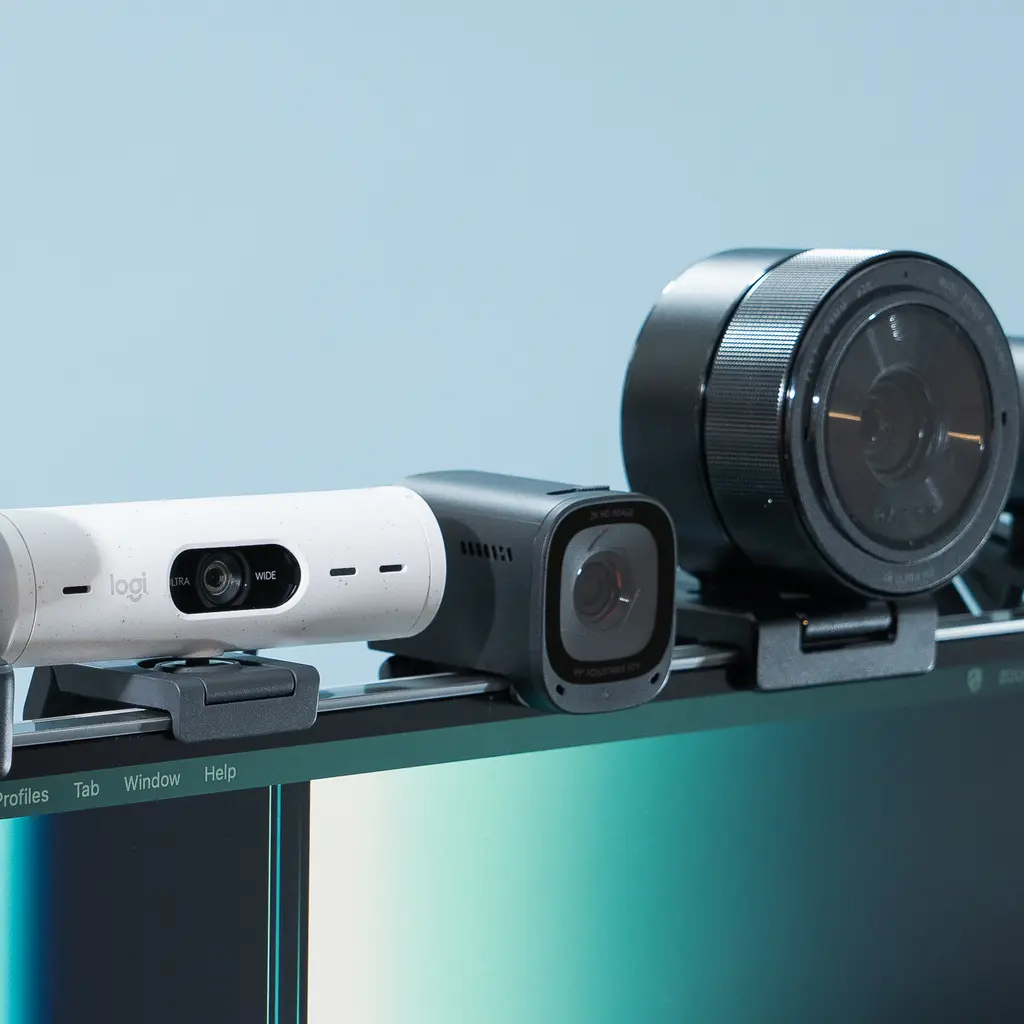
Video conferencing has become an essential part of work, education, and communication. Whether you’re working remotely, attending online classes, participating in virtual interviews, or hosting webinars, your webcam plays a major role in how others see you.
Although most laptops come with built-in webcams, they often lack sharpness, struggle in low-light conditions, and provide poor color accuracy. Investing in a dedicated webcam can dramatically improve your video quality and create a more professional impression during Zoom meetings.
In this guide, we’ll review the best webcams for Zoom in 2026, compare their features, and help you choose the right model based on your budget and needs.
Quick Comparison Table
| Webcam | Resolution | Best For | Rating |
|---|---|---|---|
| Logitech MX Brio | 4K | Best Overall | ⭐⭐⭐⭐⭐ |
| Insta360 Link 2 | 4K | AI Tracking | ⭐⭐⭐⭐⭐ |
| OBSBOT Tiny 3 | 4K | Presentations | ⭐⭐⭐⭐⭐ |
| Dell Pro Webcam WB5023 | 2K | Office Use | ⭐⭐⭐⭐☆ |
| Logitech Brio 500 | 1080p | Remote Work | ⭐⭐⭐⭐☆ |
| Logitech C920 HD Pro | 1080p | Budget Users | ⭐⭐⭐⭐☆ |
| Anker PowerConf C200 | 2K | Home Office | ⭐⭐⭐⭐☆ |
| Razer Kiyo Pro Ultra | 4K | Professional Streaming | ⭐⭐⭐⭐⭐ |
Why Buy an External Webcam?
A dedicated webcam offers several advantages over built-in laptop cameras:
- Higher video quality
- Better autofocus
- Improved low-light performance
- HDR support
- Clearer microphones
- Wider field of view
- Better color accuracy
- Professional appearance
If you spend several hours each week on Zoom, upgrading your webcam is one of the best investments you can make.
Best Webcams for Zoom (2026)
Logitech MX Brio – Best Overall
The Logitech MX Brio is one of the best webcams available in 2026. It captures stunning 4K video with HDR support, producing sharp images and natural colors. AI-powered image enhancement automatically adjusts lighting and exposure, making it ideal for professional meetings.
Pros
- Crystal-clear 4K video
- Excellent HDR
- Fast autofocus
- Great low-light performance
- Dual noise-reduction microphones
Cons
- Premium price
Best For: Professionals, executives, and creators.
Insta360 Link 2 – Best AI Webcam
The Insta360 Link 2 is designed for users who move during presentations. AI tracking follows your movements, ensuring you remain centered on screen.
Key Features
- 4K video
- AI auto-tracking
- Gesture control
- Whiteboard mode
- Desk view
- HDR support
Best For: Teachers, presenters, and online trainers.
OBSBOT Tiny 3 – Best Smart Webcam
The OBSBOT Tiny 3 features intelligent pan, tilt, and zoom technology. Voice and gesture controls make it an outstanding choice for professional presentations.
Pros
- AI tracking
- PTZ camera
- Excellent autofocus
- Sharp image quality
- Professional software
Best For: Conference rooms and online teaching.
. Dell Pro Webcam WB5023
Dell’s business webcam delivers excellent 2K video quality with HDR support. It performs well under different lighting conditions and includes AI-powered noise reduction.
Highlights
- 2K resolution
- HDR
- AI noise reduction
- Excellent color accuracy
Best For: Office professionals.
Logitech Brio 500
The Logitech Brio 500 remains one of the most reliable webcams for everyday Zoom meetings. It offers Full HD video, automatic framing, and excellent microphone quality.
Features
- 1080p Full HD
- HDR
- Auto framing
- Plug-and-play
- USB-C
Best For: Hybrid workers.
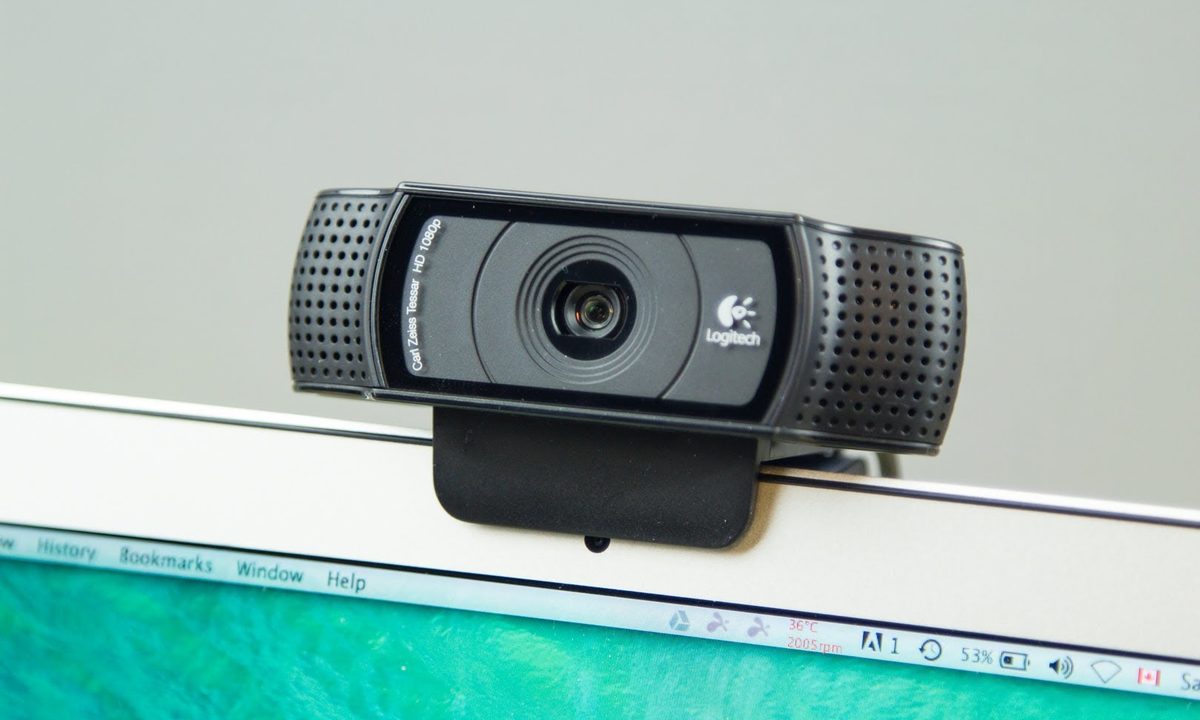
Logitech C920 HD Pro
The Logitech C920 is one of the best-selling webcams for a reason. Despite its age, it still delivers reliable Full HD video quality at an affordable price.
Why Buy It?
- Budget-friendly
- Autofocus
- Stereo microphones
- Excellent compatibility
Best For: Students and home office users.
7. Anker PowerConf C200
The PowerConf C200 provides impressive value with 2K video, AI noise cancellation, and an adjustable field of view.
Advantages
- 2K resolution
- AI microphones
- Compact design
- Affordable
Best For: Small businesses and remote workers.
Razer Kiyo Pro Ultra
If image quality is your top priority, the Razer Kiyo Pro Ultra is an excellent choice. Its large image sensor produces bright, detailed images even in challenging lighting conditions.
Best Features
- Outstanding low-light performance
- HDR
- Fast autofocus
- Premium build quality
Best For: Streamers and content creators.
Buying Guide: How to Choose the Best Webcam
Before purchasing a webcam, consider these important features:
Resolution
- 1080p: Best for most users.
- 2K: Better clarity.
- 4K: Maximum image quality.
Autofocus
Fast autofocus keeps your face sharp while moving.
HDR
Improves image quality in bright and dark environments.
Low-Light Performance
A larger sensor delivers better video in dim lighting.
Built-in Microphones
Noise-canceling microphones improve meeting quality.
Privacy Shutter
Protects your privacy when the webcam isn’t in use.
Tips for Better Zoom Video Quality
Even the best webcam performs better with the right setup.
- Place the camera at eye level.
- Face a window or use a ring light.
- Keep your lens clean.
- Use a stable internet connection.
- Reduce background clutter.
- Enable HD video in Zoom settings.
Conclusion
Choosing the best webcam for Zoom in 2026 depends on your budget and specific requirements. If you need premium image quality, the Logitech MX Brio is an excellent all-around choice with outstanding 4K video, HDR, and low-light performance. For teachers and presenters, the Insta360 Link 2 and OBSBOT Tiny 3 offer advanced AI tracking features that make online presentations more engaging. Budget-conscious buyers can confidently choose the Logitech C920 HD Pro or Anker PowerConf C200, both of which provide excellent value for everyday video calls.
(FAQs)
1. Which webcam is best for Zoom in 2026?
The Logitech MX Brio is one of the best webcams thanks to its 4K video quality, HDR support, AI image enhancement, and excellent low-light performance.
2. Is a 4K webcam worth buying?
Yes. Even if Zoom doesn’t always stream in 4K, a 4K webcam produces a sharper and cleaner image after processing, making your video look more professional.
3. Is a 1080p webcam enough for Zoom?
Yes. A quality 1080p webcam is ideal for business meetings, online classes, interviews, and daily video calls.
4. Which webcam works best in low light?
The Logitech MX Brio and Razer Kiyo Pro Ultra perform exceptionally well in low-light conditions due to their advanced sensors and HDR technology.
5. Can I use these webcams with Microsoft Teams and Google Meet?
Yes. Most USB webcams are compatible with Zoom, Microsoft Teams, Google Meet, Skype, Discord, OBS Studio, and other popular video conferencing platforms.
6. What features should I look for in a webcam?
Choose a webcam with at least 1080p resolution, autofocus, HDR, good microphones, low-light performance, and a privacy shutter.
7. Do webcams have built-in microphones?
Yes. Most modern webcams include built-in microphones, but a dedicated USB microphone provides better audio quality for professional meetings.
8. How can I improve my Zoom video quality?
Use good lighting, position the webcam at eye level, clean the lens regularly, maintain a stable internet connection, and enable HD video in Zoom settings.
9. Which webcam is best for online teaching?
The Insta360 Link 2 and OBSBOT Tiny 3 are excellent choices because they include AI tracking, gesture controls, and presentation-friendly features.
10. Are external webcams better than laptop cameras?
Yes. External webcams generally offer better image quality, faster autofocus, improved low-light performance, clearer microphones, and more advanced features than built-in laptop cameras.